
Most reviews of AI writers are written by people who got a press account with unlimited credits. That is not how you'll meet GravityWrite. You'll meet it the way I did: a fresh email, a countdown timer, and a decision to make in about ninety seconds.
So I kept a log. Every screen, every click, every moment the product asked for money, and what I thought at the time. Then I paid for the cheapest plan and kept going, because a write-up that stops at the paywall is only half a write-up.
| The yellow notes are my reactions as they happened. I've left them unpolished on purpose. If you're skimming, they're the fastest read on this page. |
The log: eight steps, from signup to cancel
All timestamps are from a single sitting, using a new Gmail alias and a private browser window. Nothing was cached from a previous visit.
Landing on the homepage
A sale timer sits at the very top, counting down. The hero copy leans on the "one subscription instead of five" angle, with logos for the writing, image, video and website tools lined up underneath. Scrolling down there's a public template directory you can browse without an account, which is a nice touch.
What I noticed: the countdown reset itself when I reopened the page in a fresh window. It's a marketing device, not a real deadline.

Homepage on first visit, countdown timer at the top.
My take "Feels like a landing page that's in a hurry." Not a red flag on its own. Lots of decent tools do the timer thing. Filed it and moved on. |
Creating an account
Name, email, password, or a one-click Google sign-in. No card required, no phone number, no "tell us about your company" quiz. I was through in under a minute. The confirmation email arrived while I was still on the page.
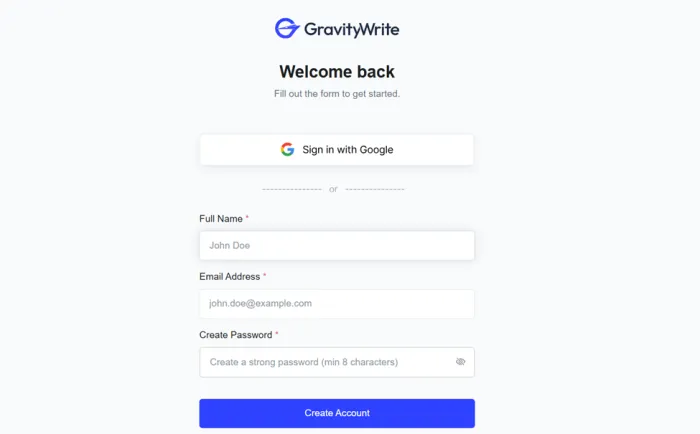
The signup form. Google sign-in is offered alongside email.
My Observation ★★★★☆ Quick, clean, nothing to complain about. This is the version of the product that made me optimistic. |
First login: the dashboard
Instead of a "pick a tool and start" screen, the first thing I saw was a discount offer, and below it a yellow banner telling me my free trial had ended. I had not opened a single tool yet. The credits counter showed zero available. I am not the only one: several reviewers on Trustpilot describe the same trial-ended-before-it-started moment.
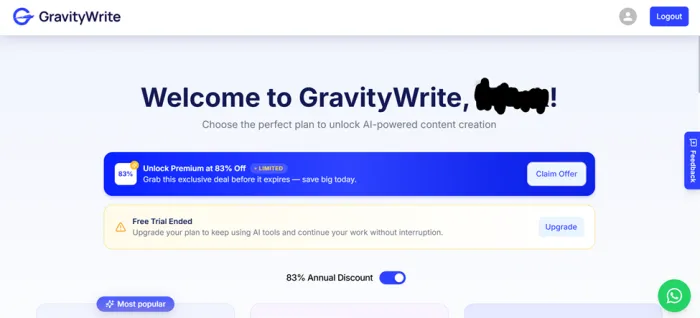
Seconds after the first login: discount offer above, trial-ended banner below.
Expected: a dashboard and a few free words to play with. Got: a "trial ended" banner at zero seconds of use. The pricing page says there's a free plan. My account didn't seem to get one. |
Trying a template from the public directory
I logged out, went back to the open tools list, and picked the YouTube video title generator. Filled in the topic (a beginner sourdough video), the tone (friendly), and asked for five options. Hit generate. Same upgrade screen, no partial output, no preview.
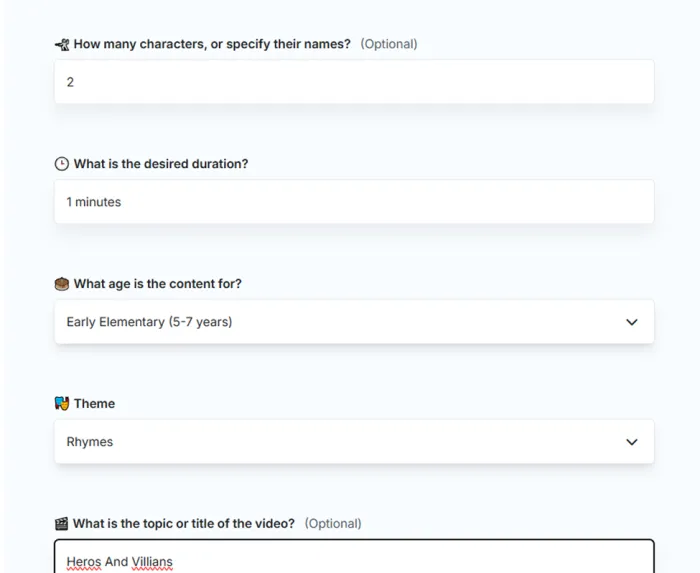
The filled-in title generator, and the upgrade screen it produced.
My take 0 words generated after two attempts and four minutes. Even a watermarked sample would have kept me in a good mood. |
Checking the pricing page properly
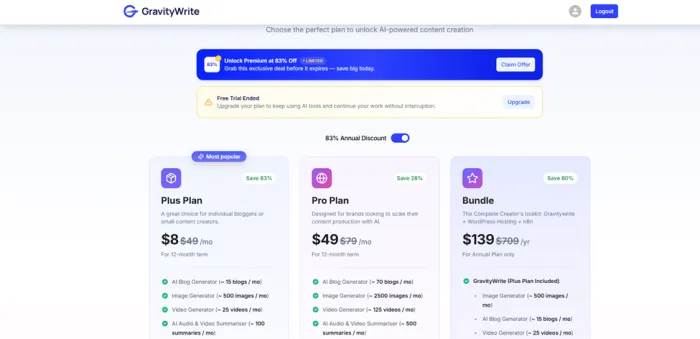
After the second paywall I stopped clicking and read the pricing page end to end. Three tiers are laid out side by side: Plus at roughly $8 a month, Pro at roughly $49, and a Bundle at about $139 a year that adds WordPress hosting and a domain. All three headline prices are the annual-billing rate; the monthly rate sits in smaller text and is noticeably higher.
The page also lists a free plan with a modest monthly word allowance (the G2 listing puts it at 1,000 words a month), which is the plan my new account never seemed to receive. Credits are pooled across writing, image and video tools rather than counted separately, and the discount timer from the homepage reappears here with a different number of hours left.
What you actually get inside
Sorted by how much each piece separates GravityWrite from the tools it competes with.
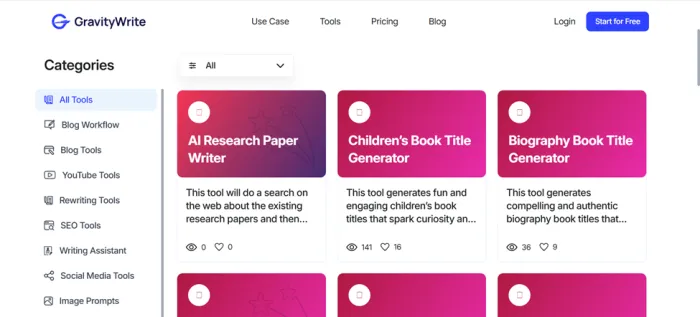
Standout 250+ fill-in-the-blank templates Covers odd corners: kids' scripts, book titles, thumbnail text, course outlines. If your week jumps between formats, this saves real prompt-writing time. | Standout Text humanizer Rewrites AI output so it reads less mechanical and scores better on detectors. Results vary by detector. Treat it as a draft pass. | Standout Price Around $8 a month on the yearly Plus plan is cheaper than most named competitors, and the plan includes images and video credits. |
Standard Long-form blog writer Up to a few thousand words with heading and keyword inputs. Comparable to what Writesonic or Jasper produce at this tier. | Standard Image and short video generation Fine for social posts and headers. Not a Midjourney replacement, and it draws from the same shared credit pool. | Weak SEO depth and brand voice There's a brand voice setting and basic keyword fields, but nothing close to Surfer or Semrush, and the voice feature needs real editing to hold up. |
Plans, and which one I'd actually pick
| Plan | Price | Roughly what it includes | My pick for |
|---|---|---|---|
| Free | $0 | Around 1,000 words a month, limited templates. In my case it didn't appear at all. | Testing only, and test it the same day you sign up. |
| Plus | ~$8/mo | Shared monthly credits covering roughly 15 blog posts, a few hundred images and a handful of videos. | Solo bloggers and freelancers. Start here. |
| Pro | ~$49/mo | Around five times the credits, plus social scheduling and heavier limits. | Small teams publishing daily. Compare against Writesonic first. |
| Bundle | ~$139/yr | Plus plan with WordPress hosting, a domain and an automation add-on. | Only if you actually need hosting. Otherwise ignore it. |
Prices are the annual-billing rates shown on the pricing page at the time of writing. Monthly billing costs more. Credits are shared across text, image and video tools, so a single "write post plus header image" job costs more than the blog-count suggests.
Pros and cons after paying
Worked for me Cheapest serious option I've used Template library is unusually broad Zero learning curve: forms, not prompts Direct publish to WordPress is handy for one-site bloggers Humanizer is a genuine time-saver as a first pass | Didn't Free tier vanished before I used it No preview or sample before the upgrade screen Credits drain fast when you chain tools together Output needs voice editing every time Cancellation is buried and renewals catch people out |
What other users say on Trustpilot and G2
Summarised in my own words from public reviews, so the themes come through without the marketing gloss. Each entry names the platform so you can read the originals.
4.2 / 5 Trustpilot, around 575 reviews (trustpilot.com/review/gravitywrite.com) | 4.6 / 5 G2, around 540 reviews (g2.com/products/gravitywrite/reviews) | 2M+ Users, as claimed by GravityWrite. Forum chatter is thin for that number. |
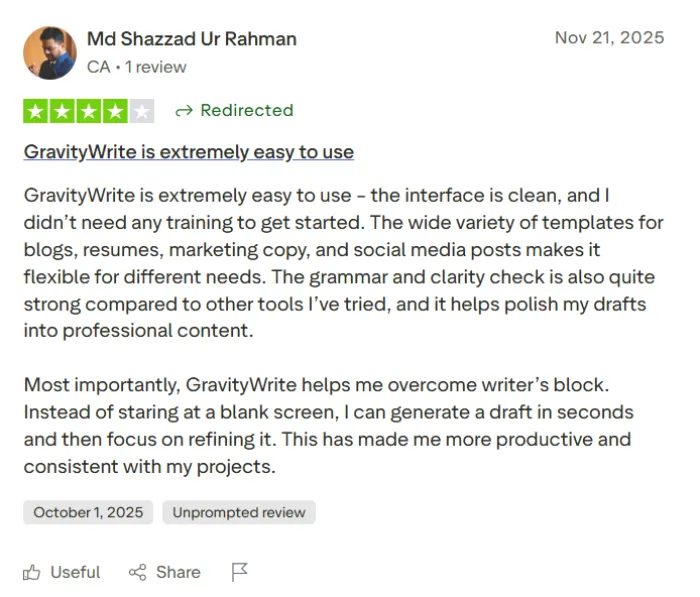
S Satyajit R. · Content creator ★★★★☆ G2 Likes how fast it turns an idea into a structured draft that stays on topic. Says the main win is time saved between brief and first draft. Theme: speed and structure | V Verified user · Small business owner ★★★★★ Trustpilot Needed no training to get going. The range of templates for blogs, resumes, marketing copy and social posts is what sold them. Theme: ease of use |
E Verified reviewer · Education ★★☆☆☆ G2 Free credits ran out fast on a long ebook project. Having to chain several tools for one job burns through the allowance quicker than expected. Theme: credit drain | M Verified reviewer · Marketing ★★☆☆☆ G2 Output sometimes drifts off context unless the brief is very explicit, which wastes credits. Falls short when a specific brand voice is required. Theme: brand voice |
B Full-time blogger · Daily publisher ★★★★★ Trustpilot Says daily writing used to be the slow, frustrating part of the job and the tool made it manageable. Also mentions generating posts in a non-English language without trouble. Theme: multilingual, daily use | R Verified user · Subscriber seeking refund ★☆☆☆☆ Trustpilot Describes a charge after a cancellation that didn't go through and a difficult refund process. GravityWrite replied publicly and the refund was eventually issued. Theme: billing friction |
Reviewer photos aren't shown: initials are used instead of pulling people's pictures off review sites. Swap in your own avatars if you have permission.
Who it's for
Sign up if you Write in many different formats each week Run one WordPress site and want a cheap all-rounder Need a humanizer pass on AI drafts Prefer filling in fields over writing prompts | Skip it if you Need tight brand voice control out of the box Publish long-form at volume and care about credit burn Want real SEO tooling, not keyword fields Would rather spend $20 on ChatGPT and prompt it yourself |
Alternatives worth opening in the other tab
Where I'd point someone depending on what they actually write. GravityWrite is included so you can see the gap.
| Tool | From | Best for | Where it loses |
|---|---|---|---|
GravityWrite Plus plan | ~$8 per month, billed yearly | Solo bloggers who jump between formats and want forms instead of prompts | The trial experience, credit drain across tools, brand voice |
Rytr Unlimited plan | ~$9 per month | The same budget, but with a free tier that actually shows up and no credit anxiety on short copy | Thinner long-form writer, no image or video tools, smaller template range |
ChatGPT Plus or Claude Pro General assistants | $20 per month | Anyone comfortable writing a prompt. Better raw model, better at holding your voice once you show it samples | No templates, no WordPress publish button, no humanizer. You do the workflow yourself |
Koala Professional plan | ~$49 per month | Publishing keyword-led SEO articles at volume, with the search research folded into the draft | Narrow. If your week isn't mostly SEO articles, you're paying for a tool you rarely open |
Jasper Pro plan | ~$59+ per seat, billed yearly | Marketing teams managing several brand voices with approvals and shared campaigns | Team-shaped pricing for a solo writer, and no permanent free plan to try first |
Surfer SEO Essential plan | ~$89 per month | Serious on-page SEO: content scoring against live search results, not just keyword fields | It's an optimiser more than a writer. Most people pair it with one of the tools above |
A note on Writesonic: it used to be the obvious head-to-head here, but it has moved into AI-search-visibility tracking with plans starting well above the writer tools listed, so it isn't a like-for-like swap any more. All prices are the entry tiers as shown on each vendor's site at the time of writing; they move often, so check before you commit.
Verdict: 3.3 out of 5
GravityWrite is a decent, cheap creator toolkit with a bad first impression. Once you're paying, the templates are broad, the blog writer is serviceable and the humanizer earns its keep. The trouble is everything before that: a trial that ended before it started and two paywalls in four minutes is not how you welcome someone who hasn't decided yet.
If you're curious, use a throwaway email, try the free tier the same hour you create the account, and if anything works, pay monthly for one cycle before committing to a year. Keep a reminder for the renewal date. And keep one competitor open in another tab, because you may find the extra $8 to $12 buys you a calmer product.
Last note Would I keep paying? For a month, sure. For a year, only after that month went well. That's the whole review in two sentences. |